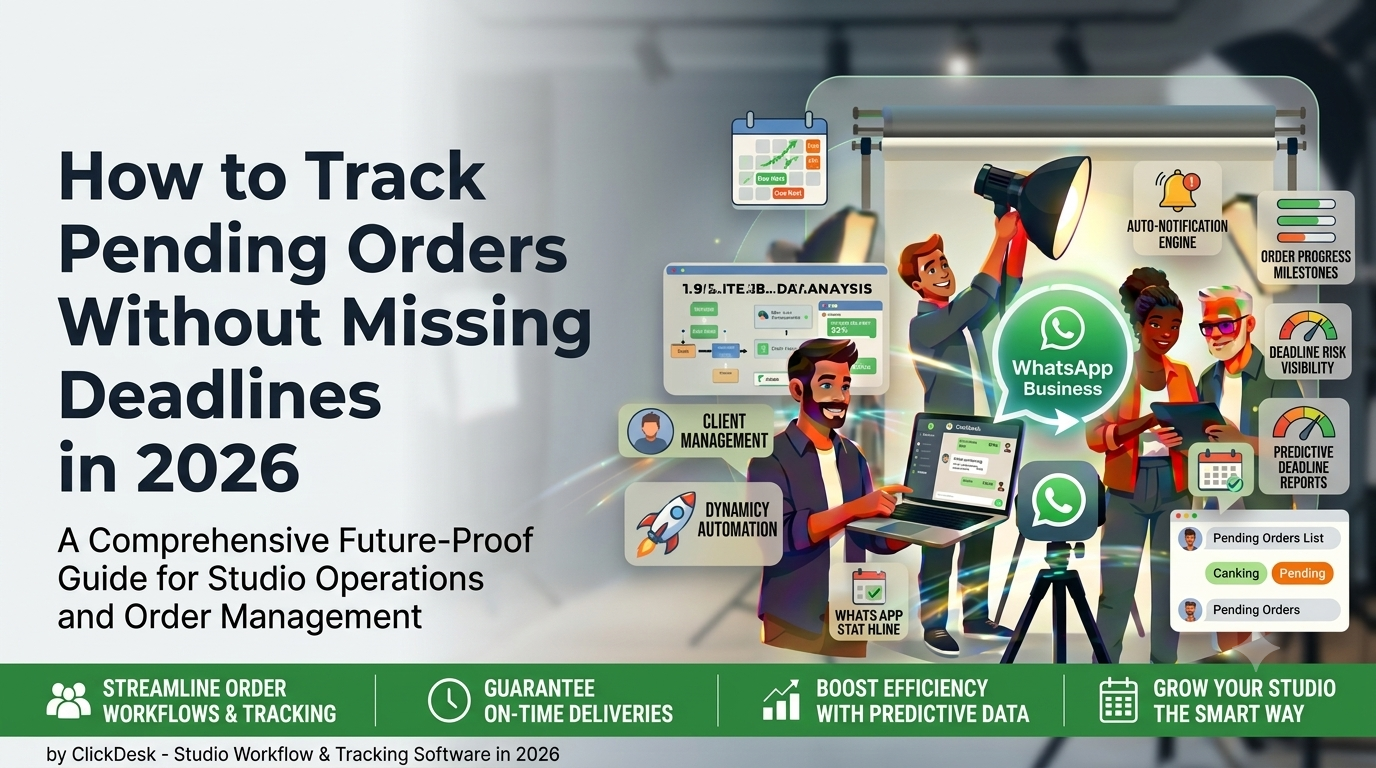
How to Track Pending Orders Without Missing Deadlines in 2026
For a growing photography studio, missed delivery timelines rarely happen because the team is lazy or careless. They usually happen because orders are spread across diaries, Excel sheets, WhatsApp chats, payment screenshots, and team memory. If you are wondering how to track pending orders without missing deadlines, the answer is not “work harder.” The answer is to build a system where every order has a visible status, a delivery timeline, a responsible owner, and a clear next action.
This matters even more in India, where a single studio may handle weddings, pre-wedding shoots, maternity sessions, baby shoots, event coverage, reels, albums, frames, and video edits at the same time. One order might be waiting for client photo selection. Another might be blocked because the second payment has not come in. A third might be edited but stuck because the album design was never approved. When these details are not tracked properly, deadlines slip, clients keep following up, and your team spends more time searching for updates than completing actual work.
In this guide, we will break down a practical system for tracking pending orders in an Indian photography business. You will learn how to classify order stages, set realistic deadlines, assign responsibilities, monitor payment-linked delivery, reduce confusion across teams, and create a workflow that works whether you run a studio in Surat, Ahmedabad, Pune, Jaipur, Rajkot, or any other city. We will also look at how a photography studio management platform like ClickDesk can help turn pending orders into a visible, manageable process instead of a daily firefight.
1. Why Pending Orders Get Missed in Photography Studios
Photography studios do not miss deadlines because there are “too many orders.” They miss deadlines because they do not have visibility into which orders are stuck, why they are stuck, and who is responsible for moving them forward. The problem becomes serious when the business grows beyond a few shoots per month. Once you have multiple photographers, editors, album designers, sales coordinators, and delivery commitments running in parallel, a casual system breaks down.
Common reasons pending orders slip through the cracks
- Order details are stored in multiple places instead of one dashboard.
- No one defines the exact stage of an order after the shoot is complete.
- Clients delay photo selection, album approval, or final payment, but the order still appears “active” without context.
- Delivery dates are promised verbally but not tracked systematically.
- Editors and coordinators do not know which orders are highest priority.
- Studio owners depend on memory, daily calls, or WhatsApp follow-ups to know what is pending.
- There is no escalation system when an order remains stuck for too long.
Think about a typical wedding workflow. A booking comes in. The advance is collected. The shoot happens in Ahmedabad. Raw files are copied to the server. The family is asked to shortlist photos. The editor starts basic selection but waits for client confirmation. Meanwhile, the couple asks for teaser reels, parents ask for an extra album, and the accountant needs GST-compliant billing. If none of this is mapped into one process, the “pending order” is not a single task anymore. It is a chain of pending tasks hidden inside one client job.
That quote will sound familiar to many studio owners because the real pain is uncertainty. You may know that you have 40 active orders, but can you answer these questions in under two minutes?
- How many orders are pending because the client has not selected photos?
- How many are pending due to editing backlog?
- How many are waiting for album design approval?
- How many are blocked because the final payment has not been collected?
- Which orders are due within the next 7 days?
If the answer is no, then the studio does not have an order tracking problem alone. It has an operational visibility problem.
2. What Counts as a Pending Order
Before you improve order tracking, you need to define what a “pending order” actually means inside your business. Many studios treat every undelivered order as pending, but that is too broad to be useful. A better approach is to divide pending orders into stages and reasons.
A practical definition of pending orders
A pending order is any booked photography or videography project that has not reached its promised final milestone and still requires action from the studio, the client, or both.
Typical pending order stages in an Indian photography studio
- Booking confirmed – order created, advance received, event date locked.
- Shoot completed – event done, files received, but post-production not started.
- Raw selection pending – client must select photos or studio must shortlist.
- Editing in progress – photos or videos under editing.
- Album design pending – design work not started or not finalized.
- Approval pending – client needs to approve album layout, teaser, or final edit.
- Print / production pending – album, frame, or print order sent to vendor but not delivered.
- Payment pending – balance amount, GST invoice settlement, or add-on payment pending.
- Delivery scheduled – files or physical products ready but dispatch/pickup pending.
Once you categorize pending work this way, your team stops asking “What is pending for this client?” and starts asking “Which stage is blocking delivery?” That is a much more actionable question.
| Order Stage | What It Means | Typical Risk | Who Owns It |
|---|---|---|---|
| Booking Confirmed | Client booked, date locked, package finalized | Incomplete package details or wrong delivery promise | Sales / studio coordinator |
| Shoot Completed | Coverage done, files received | No handoff to editing team | Photographer / operations |
| Selection Pending | Client has to shortlist photos or approve set | Client delay not followed up | Client coordinator |
| Editing in Progress | Photo or video editing underway | Priority confusion across editors | Editing lead |
| Album Approval Pending | Design shared but approval not received | Order stalls without reminders | Client coordinator |
| Payment Pending | Balance amount not paid | Delivery completed before collection | Accounts / owner |
| Delivery Scheduled | Final files or products ready | Pickup or dispatch delay | Front desk / operations |
The biggest benefit of this approach is that it turns a vague “pending order list” into a decision-making dashboard.
3. How to Build an Order Tracking Workflow
If you want to track pending orders without missing deadlines, you need a workflow that begins at booking and ends only after final delivery and payment closure. Most studios start tracking too late, usually after the shoot. That is a mistake because the delivery timeline is already influenced by the promises made during the booking stage.
Step 1: Create one order record per client project
Each order should have a single master record with the following fields:
- Client name and contact details
- Event type: wedding, pre-wedding, baby shoot, maternity, event, commercial, etc.
- Event date and city
- Package details and deliverables
- Promised delivery timeline
- Advance amount, balance amount, GST details
- Assigned photographer / editor / coordinator
- Current status and next action
- Last follow-up date
- Pending dependency: client approval, payment, editing, printing, vendor, etc.
Step 2: Break the order into milestones
One of the best ways to avoid missing deadlines is to stop tracking only the final delivery date. Instead, track milestone dates.
- Booking confirmation date
- Shoot completion date
- Raw data upload / backup date
- Photo selection deadline
- Editing completion target
- Album design draft date
- Client approval deadline
- Print dispatch date
- Final delivery date
When you do this, you can spot delays early. If the album design deadline is tomorrow but the client still has not selected photos, the system should show that the order is at risk even if the final delivery date is three weeks away.
Step 3: Use status labels that your whole team understands
Status names must be simple and operational. Avoid vague labels like “open” or “in process.” Instead, use status labels that tell the team what is happening and what to do next.
- Awaiting Shoot
- Raw Data Received
- Selection Pending from Client
- Selection Completed
- Editing Assigned
- Editing in Progress
- Album Draft Shared
- Approval Pending
- Final Payment Pending
- Ready for Delivery
- Delivered and Closed
Step 4: Assign one owner to every pending step
A status without an owner is just information. A status with an owner becomes accountability. For example:
- Selection pending → client coordinator
- Editing in progress → editor
- Payment pending → accounts executive
- Album approval pending → relationship manager
- Vendor print delay → operations lead
Step 5: Review pending orders daily, not weekly
Studios often review orders only when a client calls. That is reactive management. Instead, maintain a daily pending-order review with three filters:
- Orders due within 7 days
- Orders with no status update in the last 3 days
- Orders blocked by client approval or payment
Even a 15-minute review every morning can reduce deadline misses dramatically.
4. How to Plan Deadlines Without Overpromising
Tracking pending orders becomes much easier when the original deadline is realistic. Many studios lose control because the promised delivery date is based on sales pressure rather than production capacity. A team handling wedding season in Surat or Jaipur may promise “album in 15 days” to close a booking, even though editing, approvals, and printing will realistically take 30 to 45 days.
Use capacity-based deadline planning
Instead of giving every client the same generic delivery promise, calculate deadlines based on:
- Current active order volume
- Number of editors and their weekly output
- Average album design turnaround time
- Vendor printing lead time
- Client response time for selection and approval
- Peak season workload around wedding muhurat dates
A simple deadline formula for studios
Final delivery promise = internal production time + expected client approval time + vendor turnaround + contingency buffer
For example, if a wedding package includes edited photos, teaser reel, cinematic video, and one album, your timeline may look like this:
- Photo culling and sorting: 3 days
- Client selection window: 7 days
- Editing: 10 days
- Album design: 4 days
- Approval window: 5 days
- Printing and binding: 7 days
- Buffer: 4 days
Total realistic timeline: 40 days. If you promise 20 days, your pending order tracking system is already set up to fail.
| Studio Order Type | Typical Deliverables | Suggested Internal Timeline | Suggested Client Promise |
|---|---|---|---|
| Pre-wedding shoot | Edited photos + teaser reel | 7–10 days | 10–14 days |
| Wedding highlights package | Edited photos + teaser + highlights film | 20–25 days | 25–35 days |
| Wedding album package | Edited photos + album design + print | 30–40 days | 35–45 days |
| Baby / maternity shoot | Edited photos + small album | 7–12 days | 10–15 days |
| Corporate event shoot | Edited photos + selected reels | 3–7 days | 5–10 days |
It is also wise to document dependencies in your quotation and booking confirmation. If the delivery timeline depends on client photo selection or album approval, mention that clearly. This protects both the client relationship and your internal planning. If you want to standardize the booking-to-delivery process, a good place to start is ClickDesk’s quotation management for photography studios and order conversion workflow pages.
5. Payments, GST Billing, and Client Communication
Many pending orders are not actually delayed by editing. They are delayed by communication gaps and payment follow-ups. In Indian photography studios, especially wedding and family-event businesses, the order journey is closely tied to advance payments, milestone payments, and final settlement before delivery. If your pending-order tracker ignores this, it will never show the full picture.
Connect order status with payment status
Each order should show:
- Total package value
- Advance received
- Second installment due
- Final payment pending
- GST amount billed
- Invoice issued / not issued
For example, an album may be edited and ready, but if the final ₹25,000 plus GST is pending, the order should not appear as simply “delivery pending.” It should appear as “ready for delivery – payment pending.” That one label changes the action required.
GST, CGST, and SGST should be part of the workflow
Studios that bill professionally need order tracking to connect with billing records. If your business charges GST, your order system should capture the taxable amount, GST breakup, invoice number, and payment reconciliation. This is especially important when you handle larger wedding packages, corporate shoots, or destination events. A clear order record helps your team avoid confusion over whether an amount quoted was inclusive or exclusive of GST, and whether the invoice has already been shared with the client.
For intra-state billing in India, you may need CGST and SGST split. For interstate projects, IGST may apply depending on the billing setup. Even if accounting is handled separately, the studio workflow should at least show invoice status and pending payment amount so that delivery decisions are based on facts, not assumptions.
Use WhatsApp, but do not let WhatsApp become the system
WhatsApp is a powerful client communication channel for Indian studios because clients reply faster there than on email. It is useful for sending shoot reminders, photo selection links, album previews, approval nudges, and payment reminders. But WhatsApp should be the communication layer, not the source of truth.
If the only record of “client approved album design” is a message buried in a chat from two weeks ago, you do not have a process. You have a risk. The correct workflow is:
- Send album preview or reminder on WhatsApp.
- Receive client response.
- Update the order status in your order management system immediately.
- Trigger the next task for editing, printing, or delivery.
Studios that rely heavily on WhatsApp should also consider structured communication tools such as WhatsApp integration for photography studios so that client follow-ups stay connected to order records instead of disappearing into personal chats.
Support digital payment tracking too
Clients increasingly pay through UPI, bank transfer, Razorpay links, or PayU payment requests. When those payments come in, your order status should update quickly. If payment confirmation remains stuck in the accountant’s inbox or on a screenshot in someone’s phone gallery, pending orders will remain blocked longer than necessary.
Good payment tracking is not just about finance. It is about operational speed. That is why many studios now connect payment tracking directly with their order workflow and use a dedicated module such as payment tracking for photography studios.
6. How to Improve Team Accountability for Pending Orders
Even the best order-tracking dashboard fails if the team does not update it consistently. Accountability is what turns order data into deadline control. In a photography studio, accountability is tricky because one order often passes through multiple people: sales, shoot team, editor, album designer, accounts, and delivery coordinator. Without clear ownership rules, everyone assumes someone else is handling the delay.
Create role-wise responsibility for every order stage
- Sales / booking coordinator: booking details, package confirmation, delivery promise, advance receipt.
- Shoot lead: event completion, raw data handoff, missing footage alerts.
- Editor: editing status, estimated completion date, revision flags.
- Client coordinator: selection reminders, album approval follow-ups, WhatsApp updates.
- Accounts: invoice status, GST billing, pending payment tracking.
- Operations / delivery: album print coordination, dispatch, pickup scheduling.
Set a “next action” rule for every pending order
No order should sit in the system without a next action and a next date. For example:
- “Client to select photos by Friday”
- “Editor to deliver wedding highlights draft by 5 PM tomorrow”
- “Accounts to send final GST invoice today”
- “Album vendor follow-up scheduled for Monday”
Review exceptions, not just totals
If you only review the total number of pending orders, you will miss the dangerous ones. A better practice is to review exception buckets:
- Orders delayed by more than 3 days against milestone
- Orders with no follow-up logged for 5+ days
- Orders due this week with payment still pending
- Orders awaiting client approval for more than 7 days
Studios that manage multiple editors and coordinators often benefit from a dedicated task and team workflow setup. ClickDesk’s team management for photography studios and post-production workflow tools are especially useful when order delays are being caused by unclear internal handoffs.
7. Key Metrics Every Studio Should Track
Order tracking improves dramatically when you stop managing only by feeling and start measuring the workflow. The right metrics will show you whether delays are happening at the booking stage, the client approval stage, the editing stage, or the payment stage.
Essential pending-order metrics for photography studios
- Total active orders – all booked orders not yet closed.
- Total overdue orders – orders past promised delivery date.
- Orders due in next 7 days – priority pipeline.
- Average delivery turnaround time – booking to final delivery.
- Average editing turnaround time – selection complete to edit complete.
- Client approval delay days – how long clients take to approve.
- Pending payment amount – total receivables linked to active orders.
- Stage-wise order backlog – number of orders in selection, editing, album, payment, delivery, etc.
Why stage-wise reporting matters
If you find that 40% of your pending orders are sitting in “selection pending,” the solution is not hiring another editor. The solution may be faster client follow-ups, better selection deadlines, or a more structured proofing process. Similarly, if album approval delays are your main bottleneck, you may need better preview presentation and reminder workflows rather than more shooting staff.
That is why reporting is not just for large businesses. It is one of the simplest ways for a studio owner to stop guessing. You can explore what structured dashboards look like on ClickDesk’s reporting tools for photography studios page.
Use outside benchmarks to understand digital operations trends
Digital adoption is becoming essential for Indian service businesses. The Economic Times has reported strong business-growth impact from digital adoption among MSMEs, driven by tools such as smartphones and digital payments. For photography studios, that means workflow software is no longer optional once order volume grows. Similarly, the Indian wedding market continues to expand, which means studios are handling more deliverables, more revisions, and more operational complexity than before. Helpful background reading includes Economic Times coverage on digital adoption among Indian MSMEs and the India wedding services market outlook.
8. Manual Tracking vs Studio Management Software
Some studios can manage 10 or 15 active orders using a notebook, Excel file, and WhatsApp. But once volume increases, manual tracking creates hidden costs: missed follow-ups, duplicate work, wrong delivery commitments, payment confusion, and hours lost every week in status-checking. The question is not whether manual tracking works at all. The question is whether it works reliably under pressure.
Where manual systems usually fail
- Only one person understands the spreadsheet structure.
- Team members forget to update status after calls or edits.
- There is no reminder when an order has been idle for too long.
- Client communication is disconnected from order records.
- Payments, GST invoices, and delivery milestones live in separate tools.
- Owners need to ask the team repeatedly for updates.
What software changes in practice
Studio management software does not magically remove workload. What it does is make the workload visible, assignable, and measurable. That alone can reduce deadline misses significantly.
| Tracking Method | Best For | Main Advantage | Main Limitation |
|---|---|---|---|
| Notebook / diary | Very small solo studio | Simple and low cost | No visibility, no reminders, hard to scale |
| Excel / Google Sheets | Small studio with basic discipline | Flexible and familiar | Manual updates, weak accountability, no workflow automation |
| WhatsApp only | Client communication only | Fast responses | Not a tracking system, poor reporting, high risk of missed follow-up |
| Studio management software | Growing photography business | Centralized order, payment, team, and delivery tracking | Requires setup discipline and adoption |
If your studio is already managing multiple wedding orders per month, or handling shoots across cities like Surat, Udaipur, Ahmedabad, Pune, and Jaipur, the cost of missed deadlines is far higher than the cost of adopting a proper workflow system.
Helpful external reading on workflow and operational discipline
Although photography studios have their own unique processes, broader operations principles still apply. Resources such as Harvard Business Review, McKinsey insights on operations, Forbes small-business operations coverage, and GST portal guidance can help studio owners think more systematically about process design, service delivery, and billing discipline.
9. How ClickDesk Helps Photography Studios Track Pending Orders
ClickDesk is a photography studio management software built in India for Indian photography studios. It is designed for studios that need one place to manage enquiries, quotations, bookings, pending orders, post-production tasks, payments, delivery workflows, and team coordination without relying on scattered spreadsheets and chats.
If your studio regularly handles weddings, pre-weddings, baby shoots, family functions, cinematic films, album design, and client follow-ups, ClickDesk helps bring these moving parts into a single operational flow. Instead of asking your team for updates on every order, you can view the current stage, pending payment, assigned owner, delivery timeline, and next action from one dashboard.
Why ClickDesk is relevant for pending-order management
- Built specifically for photography studios rather than generic business teams.
- Helps track orders from enquiry and quotation to final delivery.
- Supports visibility into payment follow-ups, editing progress, and delivery status.
- Useful for Indian studios handling GST billing, WhatsApp communication, and multi-stage wedding workflows.
- Reduces dependency on manual follow-up and memory-based management.
- Improves owner visibility across sales, post-production, and delivery.
India-specific features that matter for studios
- Quotation and package tracking designed for photography service workflows.
- Order conversion visibility from lead to confirmed booking.
- Pending payment tracking for advance, balance, and milestone-based collections.
- Useful support for GST-linked billing visibility and order-level financial clarity.
- Workflow support for post-production, album design, and delivery coordination.
- WhatsApp-friendly communication flow for client updates and reminders.
- Team-level task visibility for photographers, editors, and coordinators.
- Reporting tools to review pending orders, payments, and work progress.
If you want to explore the platform in more detail, start with the best features of ClickDesk for photography studio management. You can also review the ClickDesk pricing options and decide which setup matches your studio size and order volume.
For studio owners who want to evaluate the company and platform further, you can also visit the About ClickDesk page, browse the ClickDesk photography business blog, and read a related workflow article such as Cloud-Based Photography Studio Management Software: A Complete Guide.
10. A 30-Day Implementation Plan for Your Studio
If your studio is currently struggling with pending orders, do not try to redesign everything in one day. Start with a 30-day implementation plan that gives you structure quickly.
Week 1: Audit current orders
- List all active orders in one sheet or system.
- Add current stage, promised delivery date, payment status, and responsible owner.
- Identify overdue orders first.
- Mark which orders are blocked by client action versus internal delay.
Week 2: Define statuses and milestone dates
- Create standard status labels for all order stages.
- Set milestone dates for editing, approval, printing, and delivery.
- Standardize delivery timelines by package type.
- Create a rule that every order must have a next action date.
Week 3: Assign accountability and review process
- Assign owners for sales, editing, client follow-up, accounts, and delivery.
- Start a daily 15-minute pending-order review.
- Review due-this-week orders separately from long-term pipeline.
- Escalate any order stuck in the same stage for more than 5 days.
Week 4: Move into a proper workflow system
- Set up your studio workflow in ClickDesk or a similar dedicated system.
- Import or create active orders with stage-wise tracking.
- Link payment tracking, quotations, and client follow-up processes.
- Train the team to update order status immediately after every milestone.
The goal is not just to “know pending orders.” The goal is to build a studio where deadlines become predictable, clients feel informed, and the owner does not have to personally chase every update.
As order volume increases, the studios that perform best are usually not the ones with the most photographers. They are the ones with the clearest systems. They know which orders are pending, why they are pending, how much money is still outstanding, which team member owns the next step, and what must happen today to protect the final delivery date.
If you want to improve your studio’s order tracking, payment visibility, team coordination, and post-production workflow in one place, explore ClickDesk and see how a photography-focused workflow can simplify daily operations. Start your free ClickDesk trial today →
11. Frequently Asked Questions
How can a photography studio track pending orders efficiently?
A photography studio can track pending orders efficiently by breaking each order into stages such as booking, shoot completed, selection pending, editing in progress, album approval pending, payment pending, and delivery scheduled. Every stage should have a deadline, a responsible owner, and a next action date. This creates visibility and reduces the chances of missed follow-ups.
What is the best way to avoid missing wedding album delivery deadlines?
The best way is to define milestone dates instead of tracking only the final delivery date. Set internal targets for photo selection, editing, album design, approval, printing, and final dispatch. If any milestone slips, you can act early rather than discovering the delay only near the final deadline.
Why do photography studios lose track of pending orders after the shoot?
This usually happens because the studio uses separate tools for booking, WhatsApp communication, editing, album approvals, and payments. Without one central order record, nobody has a complete view of what is pending. Delays caused by client approvals, pending payments, or vendor printing often remain hidden until the client follows up.
Can ClickDesk help manage pending orders and payment follow-ups together?
Yes. ClickDesk is built for Indian photography studios and is useful for tracking order progress, payment status, delivery timelines, and team tasks in one workflow. This makes it easier to see whether an order is delayed because of editing, client approval, or unpaid balance before the final delivery date is missed.
Should photography studios manage all order updates only through WhatsApp?
No. WhatsApp is excellent for quick client communication, reminders, and approvals, but it should not be the only place where order progress is tracked. The safer approach is to use WhatsApp for communication and a studio management system such as ClickDesk for order status, reminders, payment follow-up, and delivery planning.